Retro Demake
A downloadable tool
Make any asset look like it shipped in 1997.
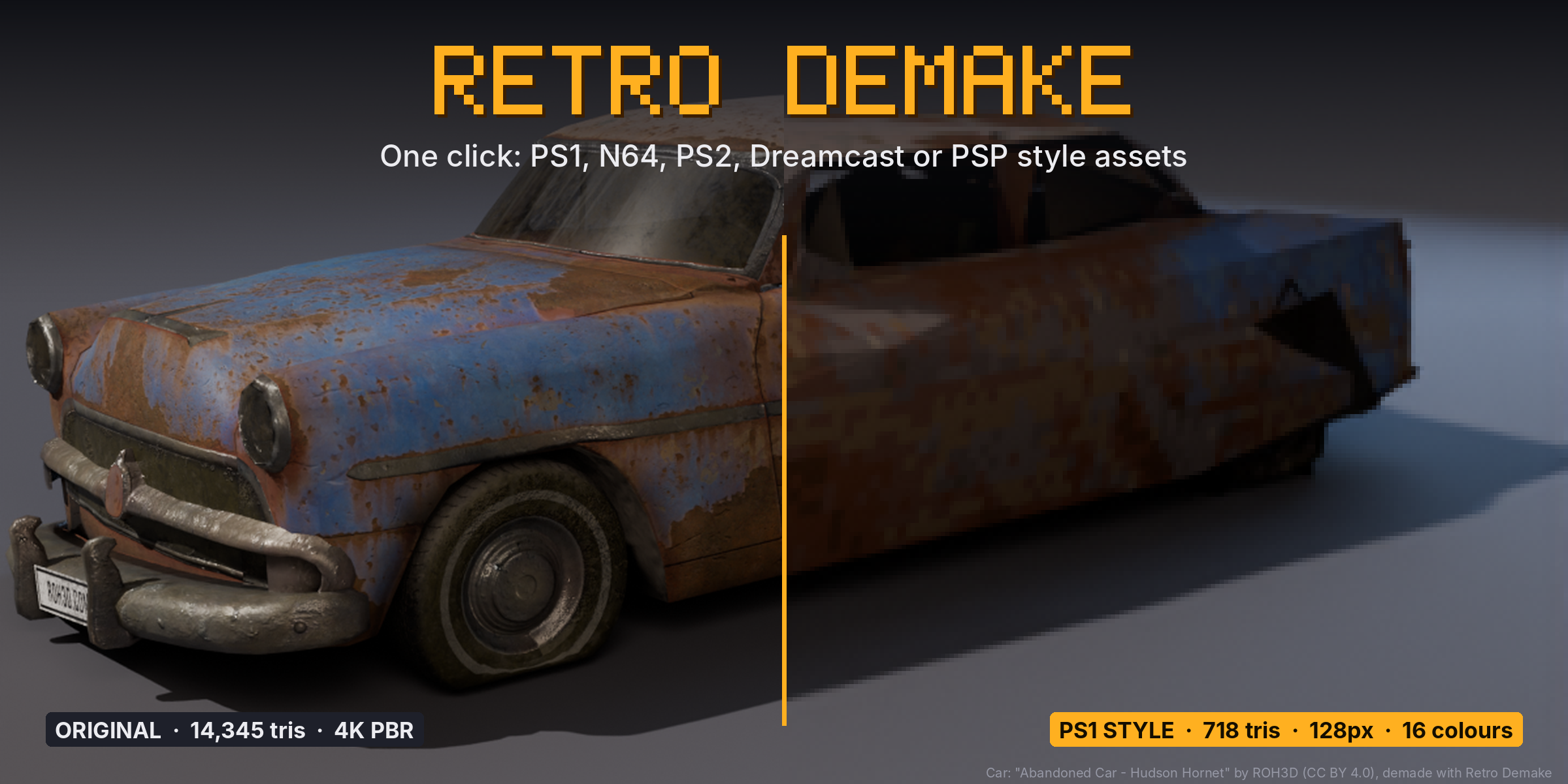
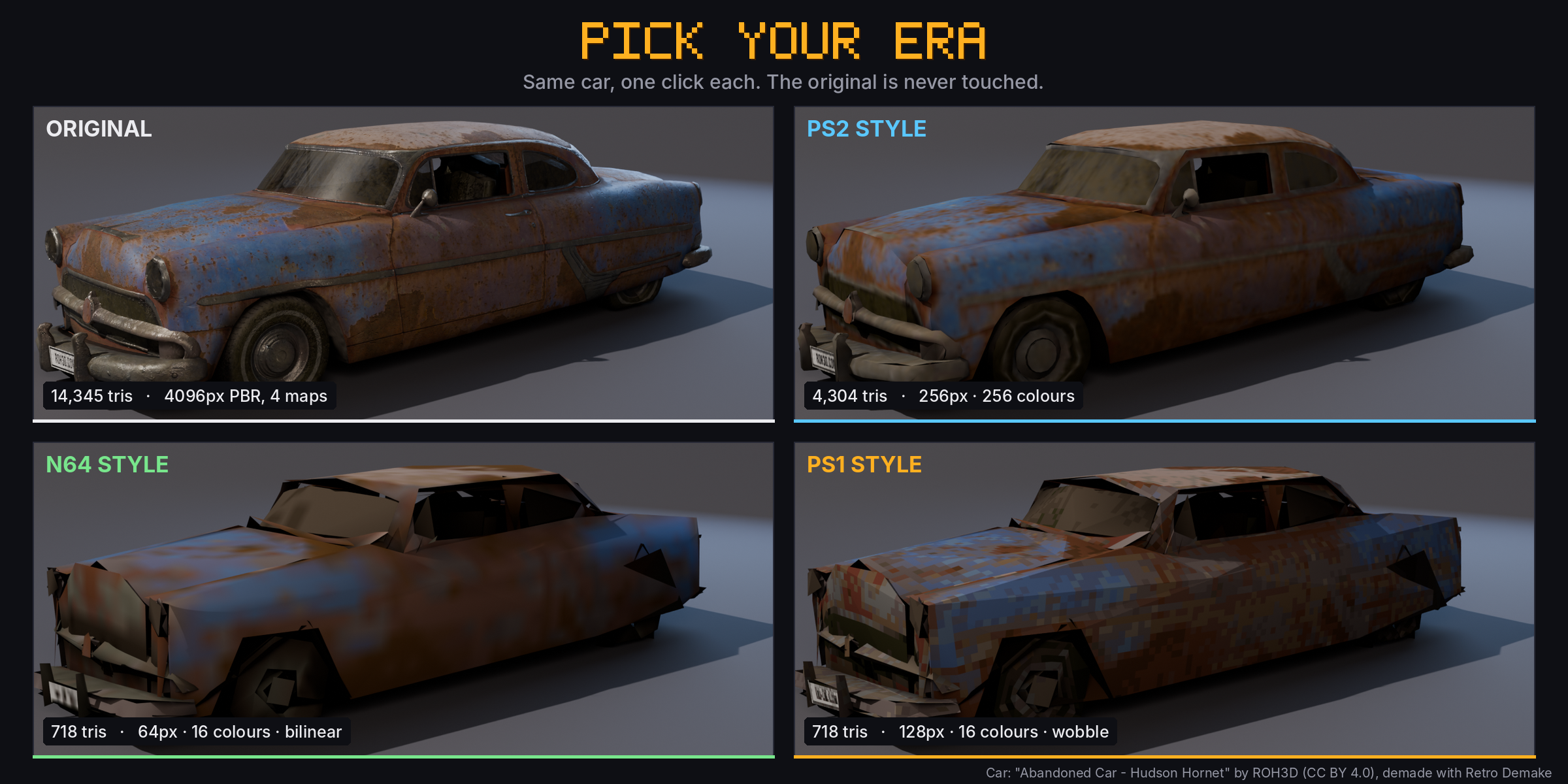
Retro Demake turns a modern Blender asset into a PS1, N64, PS2, Dreamcast or PSP style model in one click. It doesn't stop at a screen filter: you get real low-poly geometry, one small palette texture and baked vertex shading, ready to export to Unreal, Unity or Godot.
Pick a console, press Demake Selected, done. Your original is never touched; the demake is a separate copy you can flip back and forth with one button.
What one click does
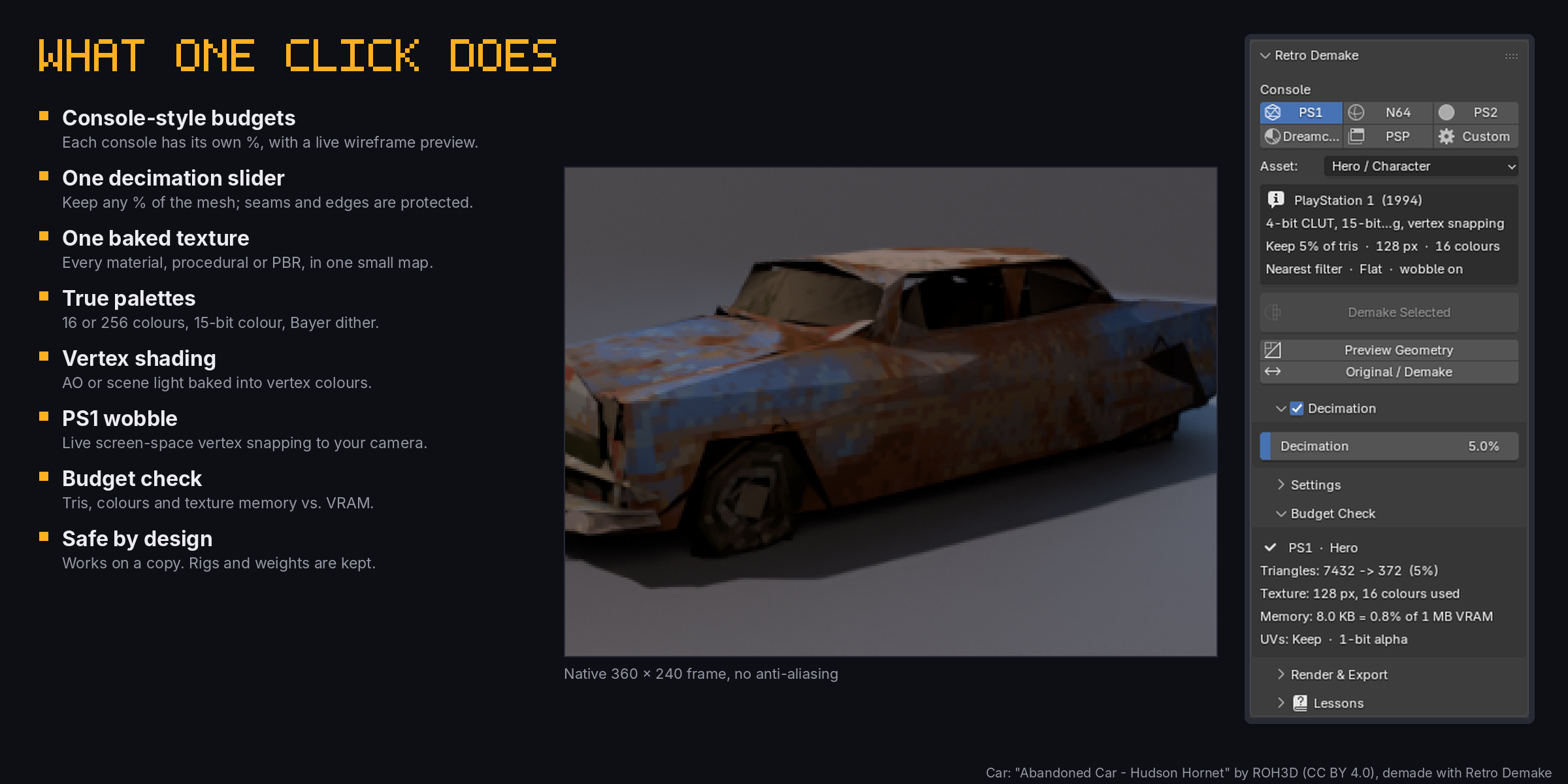
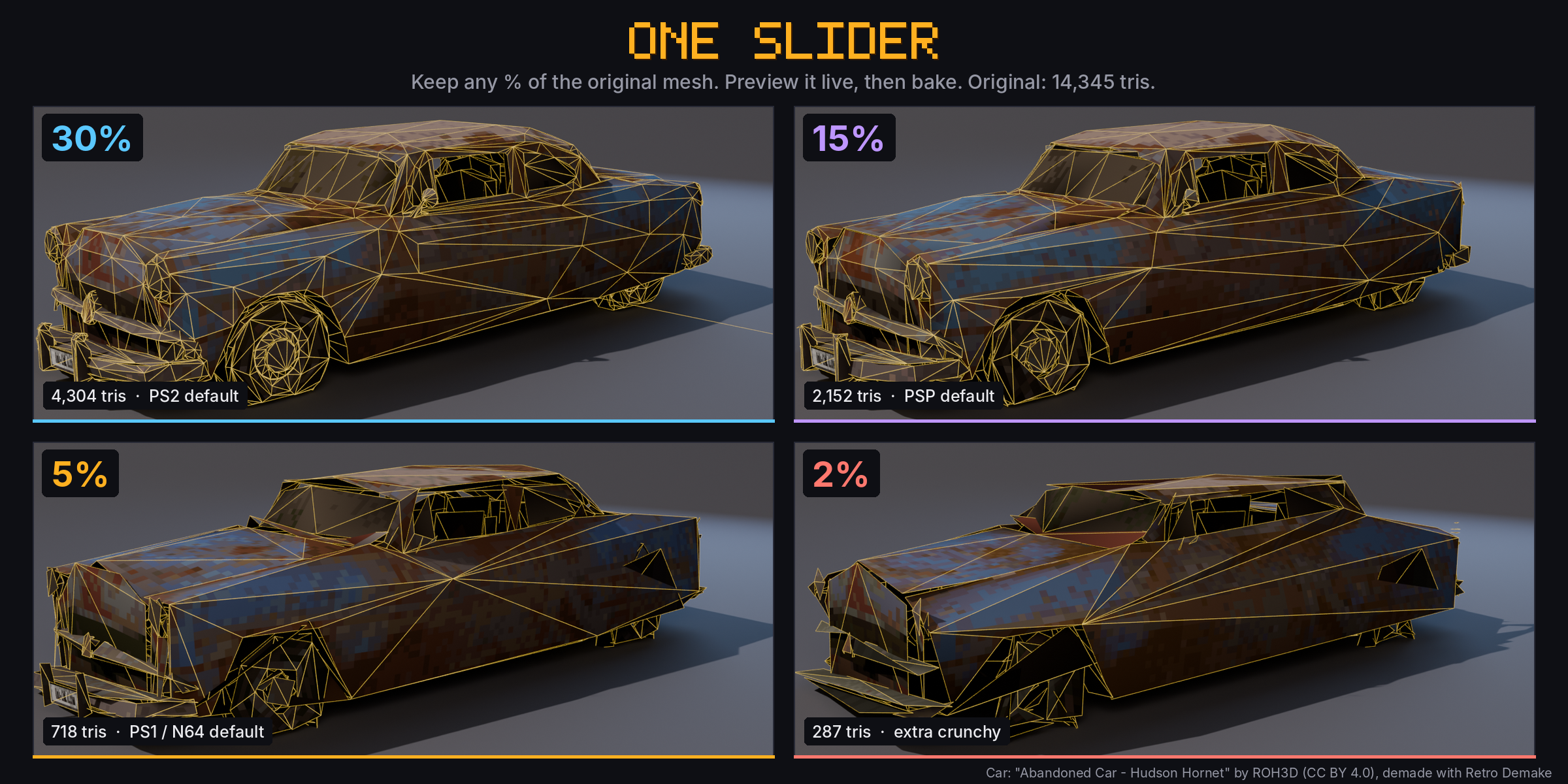
- One decimation slider. Set how much of the original mesh to keep, as a percentage. Each console starts at its own value (PS1 5%, PS2 30%) and Asset roles (Hero, Prop, Environment) scale it. UV seams, sharp edges, outlines and material borders are protected automatically, then the mesh is triangulated.
- Live preview. Preview Geometry shows the reduced wireframe in place of your model and updates as you drag the slider. Demake bakes exactly what you previewed.
- One baked texture. Every material on the object, procedural, image or metallic PBR, is baked into a single small texture (64–256 px).
- True palettes. 16 or 256 colours like the old 4-bit and 8-bit colour tables, 15-bit colour banding and a 4x4 ordered dither that only appears where the source has gradients.
- Nearest or bilinear filtering. Crisp pixels for PS1, soft filtering for N64, PS2 and Dreamcast.
- Vertex shading. Bake ambient occlusion or your scene's lights into vertex colours for the classic pre-lit look. Optional shadeless material.
- PS1 vertex wobble. Live screen-space vertex snapping tied to your scene camera, as a Geometry Nodes modifier.
- Cutouts and rigs. Alpha becomes clean 1-bit cutouts. Rigged meshes keep their armature and vertex weights.
- Budget Check. See triangles before/after, colours used and texture memory as a share of the console's VRAM.
- Era render look. Console resolution, no anti-aliasing, one-click restore.
- Save Textures. Writes the exact palette PNGs for your game engine.
Learn it inside Blender
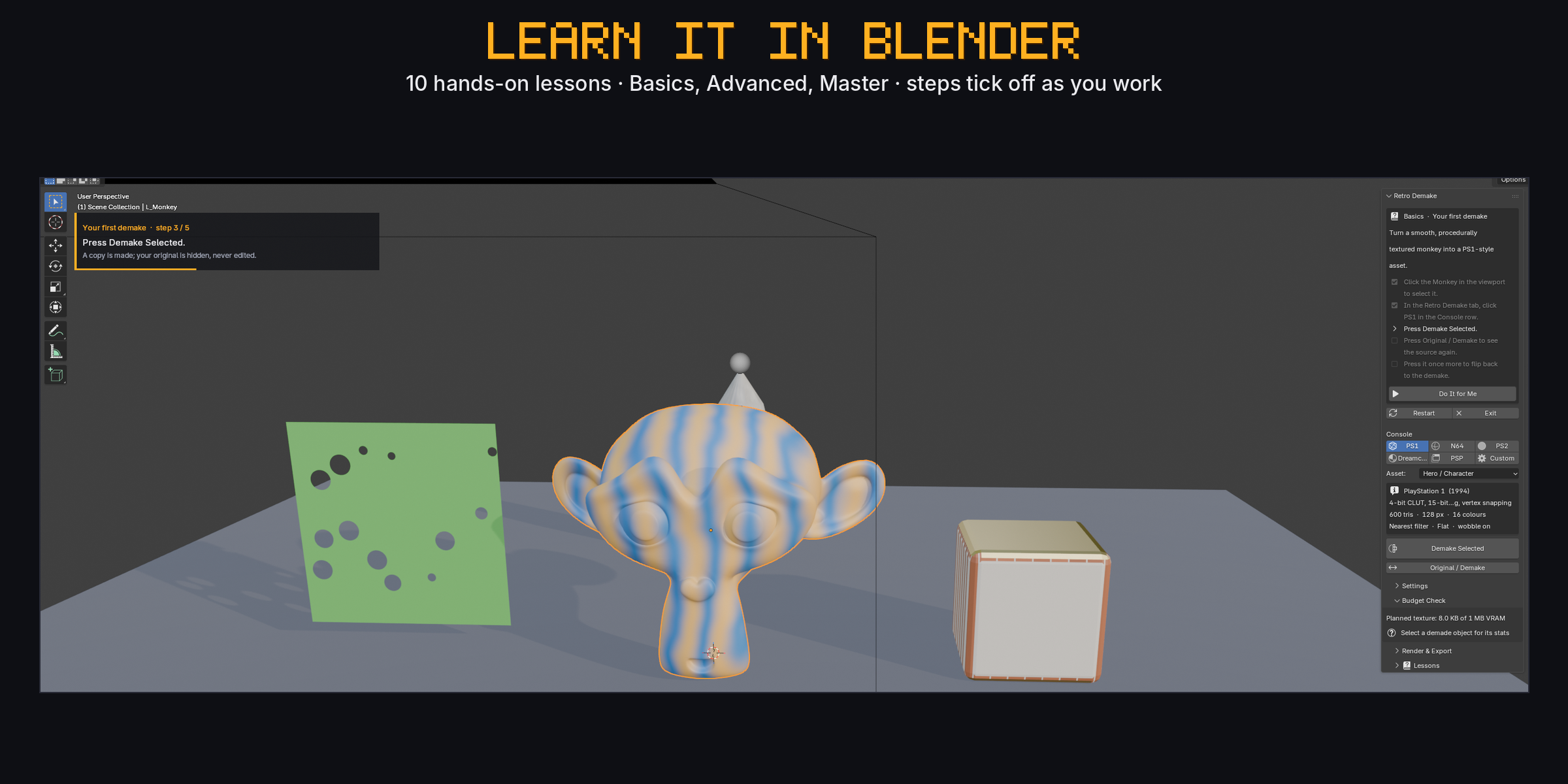
Ten interactive lessons (Basics, Advanced, Master) run in a throwaway practice scene. Steps tick off by themselves as you do them, a card in the viewport shows what to do next, and Do It for Me performs any step. Your own scene is never touched.
Presets
| Console | Mesh kept (hero) | Texture | Colours | Filter |
|---|---|---|---|---|
| PS1 | 5% | 128 px | 16 · 15-bit · dither | Nearest + wobble |
| N64 | 5% | 64 px | 16 · 15-bit | Bilinear |
| PS2 | 30% | 256 px | 256 | Bilinear |
| Dreamcast | 25% | 256 px | direct 16-bit | Bilinear |
| PSP | 15% | 128 px | 256 | Bilinear |
Every value can be overridden (Custom).
Good to know
- Affine texture warping is a rasteriser effect and can't be shown in Blender's viewport; use your engine's PSX shader for that part.
- Shape keys are not carried over to the demake copy.
- Vertex wobble needs a perspective scene camera.
- Works in any unit scale (cm or m scenes).
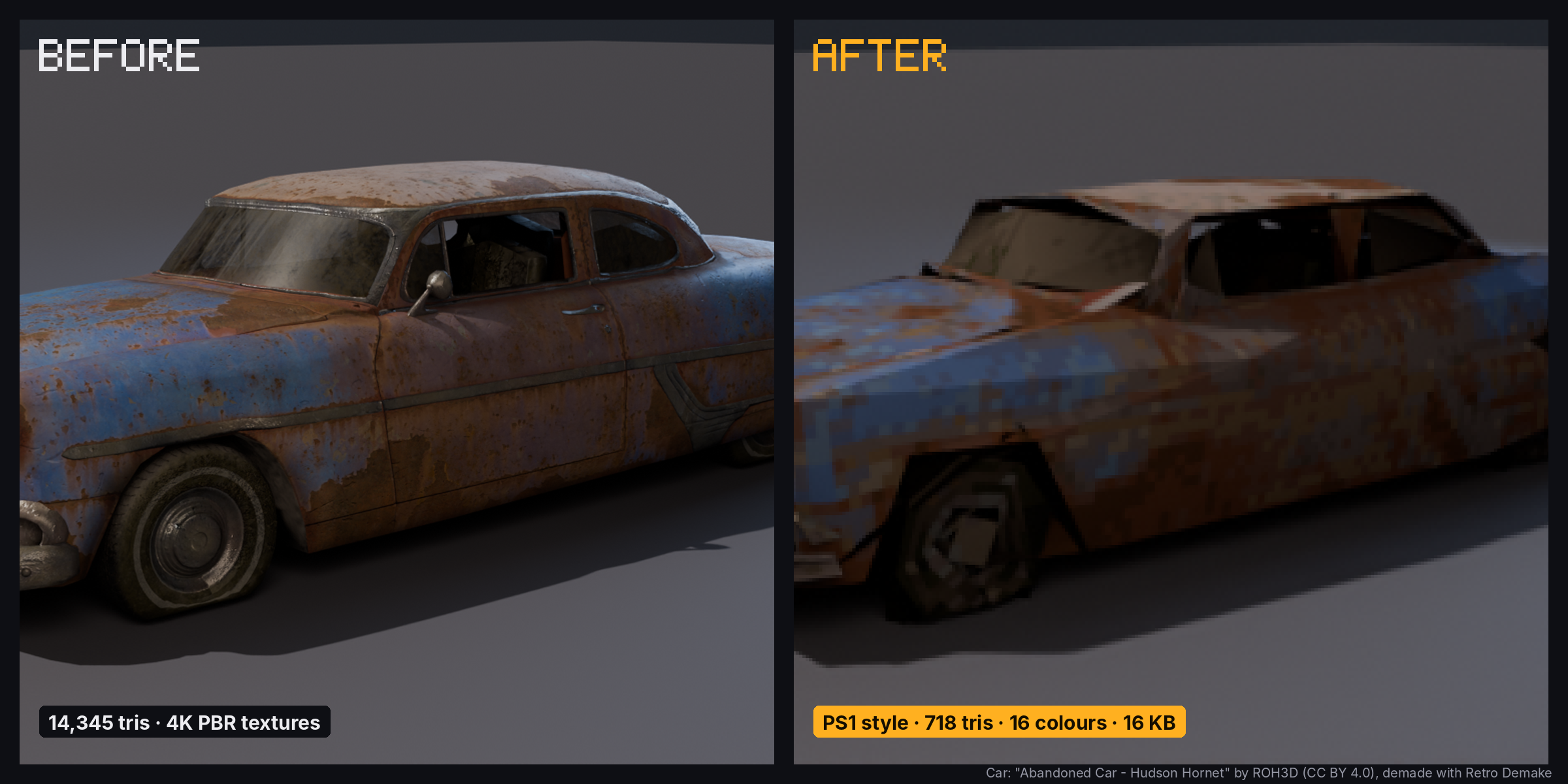
Car model in the images: "Abandoned Car - Hudson Hornet" by ROH3D (https://sketchfab.com/3d-models/abandoned-car-hudson-hornet-3a15481d9da9486a8f8e3b5165b66e2d), licensed CC BY 4.0, demade with Retro Demake.
FAQ
Does it change my original model?
No. Every demake is a new copy; the original is hidden, never edited. "Original / Demake" flips between them.
Can I use the result in a game engine?
Yes. The demake is one mesh, one material and one packed texture. Use Save Textures for the PNG and export with FBX or glTF.
Does it work with procedural materials?
Yes. Procedural, image-based and metallic PBR materials are all baked into the one texture (it uses Cycles baking internally, no setup needed).
Will it break my rig?
No. Armature modifiers and vertex weights are kept on the copy, so the demake still deforms with your rig.
Can I control how much the mesh is simplified?
Yes. The Decimation slider sets the percentage of the original triangles to keep (for example 5% of a 14,000-triangle car is about 700). Press Preview Geometry to see the result live while you drag it.
Can I compare consoles?
Yes. Each console keeps its own copy, so you can demake the same asset to PS1, N64 and PS2 and line them up.
Why don't I see the PS1 wobble?
Wobble follows the scene camera. Add a perspective camera, look through it and move it.
Quick reference
- Where: 3D Viewport › Sidebar (N) › Retro Demake tab
- Console row: PS1 / N64 / PS2 / Dreamcast / PSP / Custom
- Asset: Hero / Prop (half the mesh % and texture) / Environment (1.5x the mesh %)
- Demake Selected: makes the retro copy of every selected mesh, curve or text object
- Preview Geometry / End Preview: live wireframe of the reduced mesh that follows the slider
- Original / Demake: swaps visibility of a demake and its source
- Decimation: one slider, % of the original mesh to keep; untick the header to keep full geometry
- Settings: shading (flat/smooth), texture size, palette (4/16/64/256/direct), colour depth, dither, filtering, UV mode (Auto/Keep/New Atlas), vertex shading (None/AO/Scene Lighting), shadeless, vertex snap + resolution, hide original
- Budget Check: tris before/after, texture size, colours used, memory vs. console VRAM
- Render & Export: Apply Era Render Look / restore, texture folder, Save Textures
- Lessons: 10 interactive lessons with saved progress
How to install
- Download the zip (don't unzip it).
- In Blender: Edit › Preferences › Get Extensions (or Add-ons) › ▾ menu › Install from Disk, and pick the zip.
- Press N in the 3D Viewport and open the Retro Demake tab.
Purchase
In order to download this tool you must purchase it at or above the minimum price of $4.99 USD. You will get access to the following files:
Leave a comment
Log in with itch.io to leave a comment.