BreakdownKit
A downloadable tool
Your portfolio breakdown in one click.
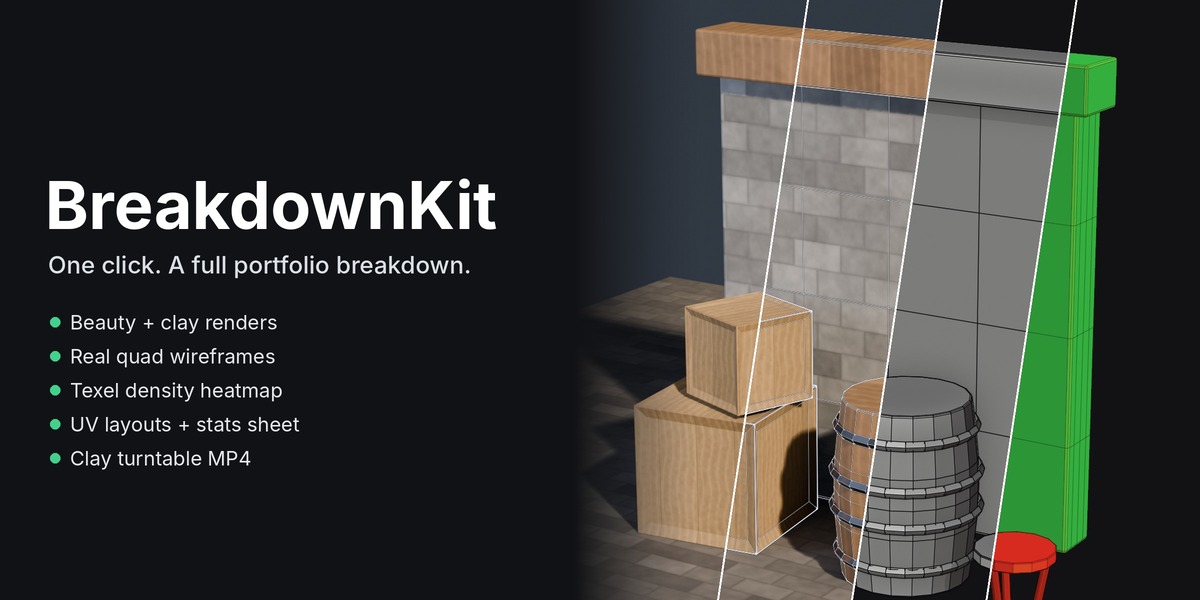
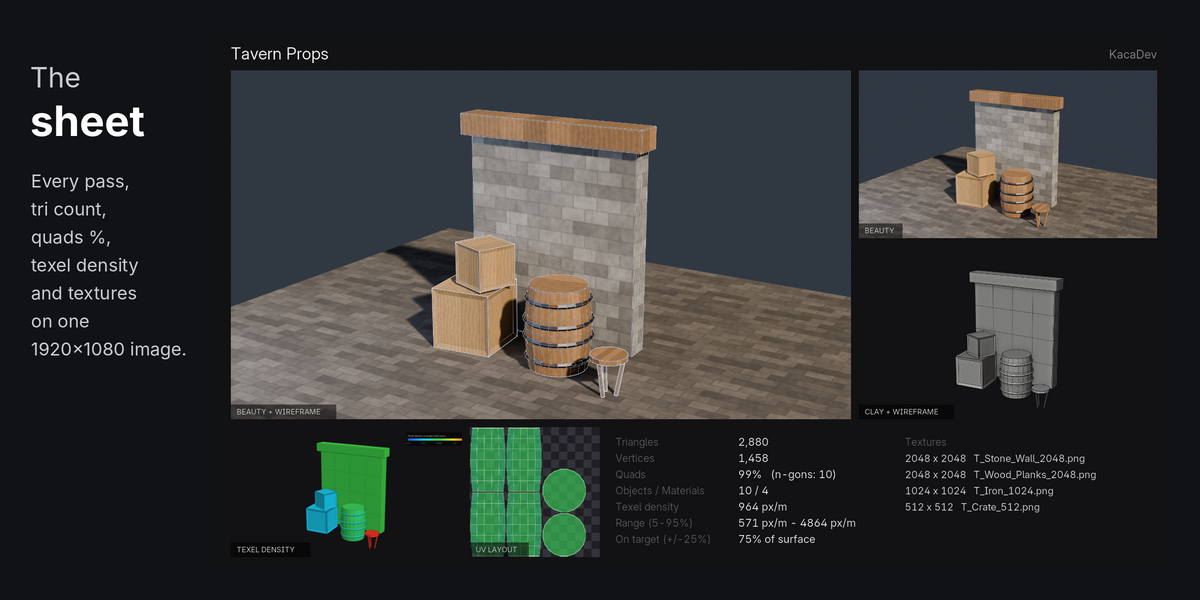
Every game-art post needs the same set of images: the beauty shot, a clay pass, the wireframe, the UVs and the numbers. BreakdownKit makes all of them from your current selection with one button, then lays them out on a single breakdown sheet.
What you get
- Beauty render with your own lights, world and render engine (EEVEE or Cycles).
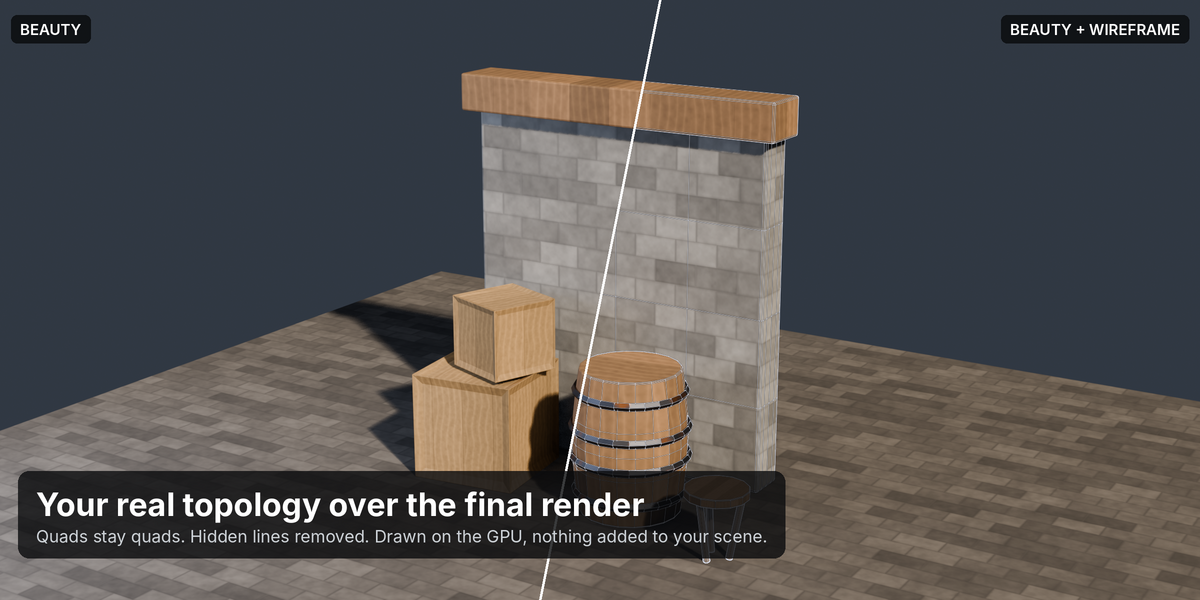
- Real wireframe over the beauty and clay renders. These are your actual mesh edges, so quads stay quads, and hidden lines are removed. They're drawn on the GPU, not with Freestyle or a wireframe modifier.
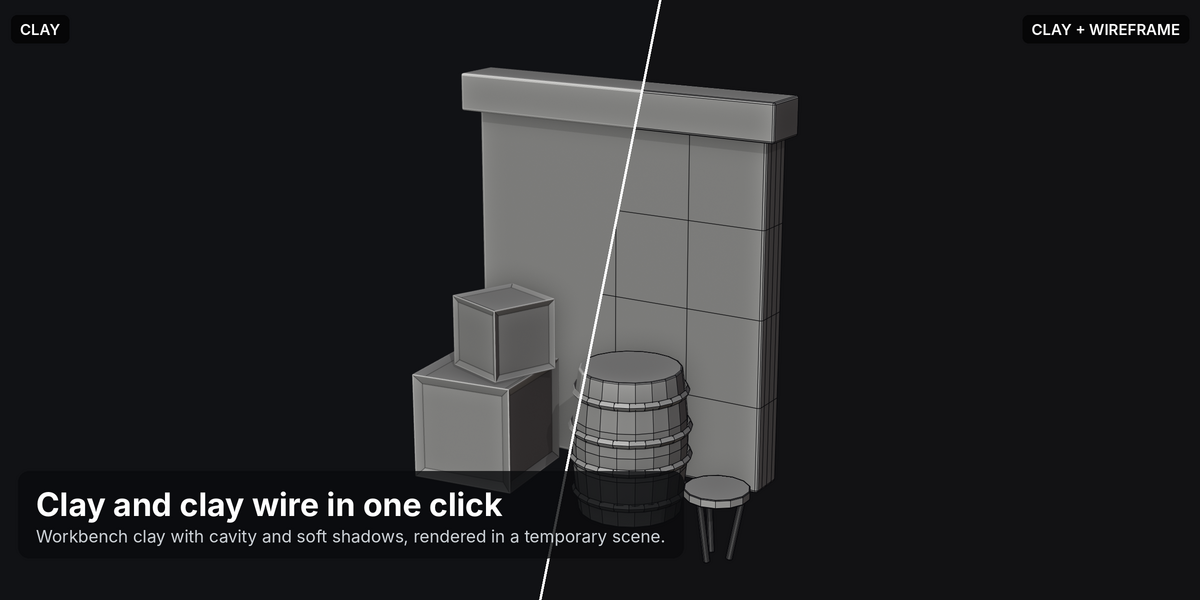
- Clay render in Workbench with cavity and soft shadows, with and without wireframe.
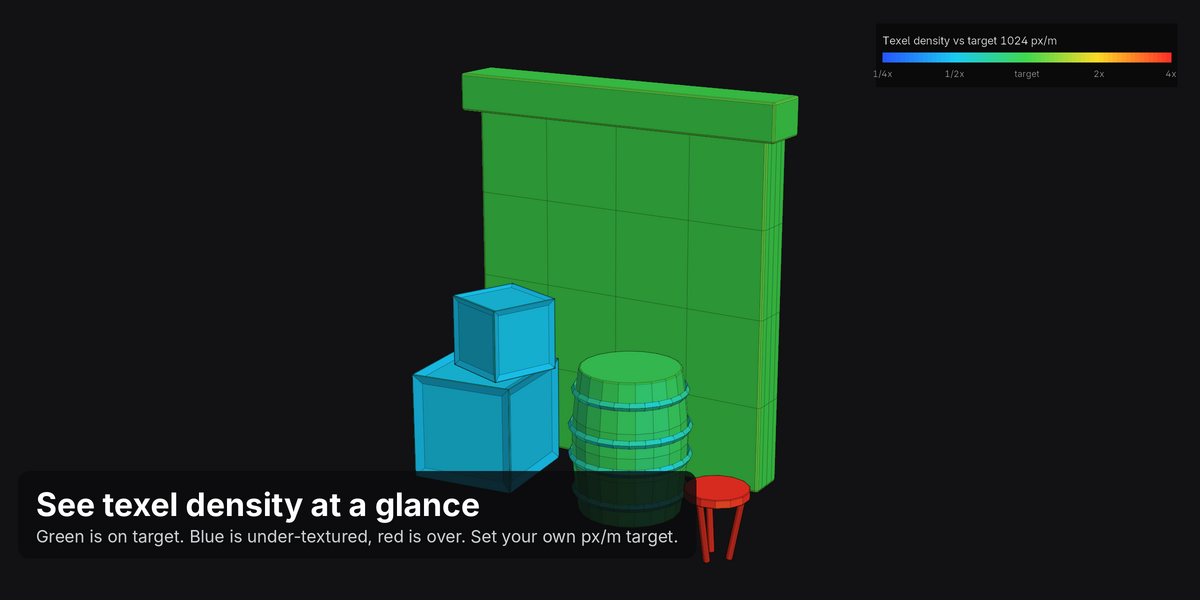
- Texel density heatmap. Every face is tinted by its pixels per metre compared with your target. Green is on target, blue is under-textured and red is over-textured. A legend is included.
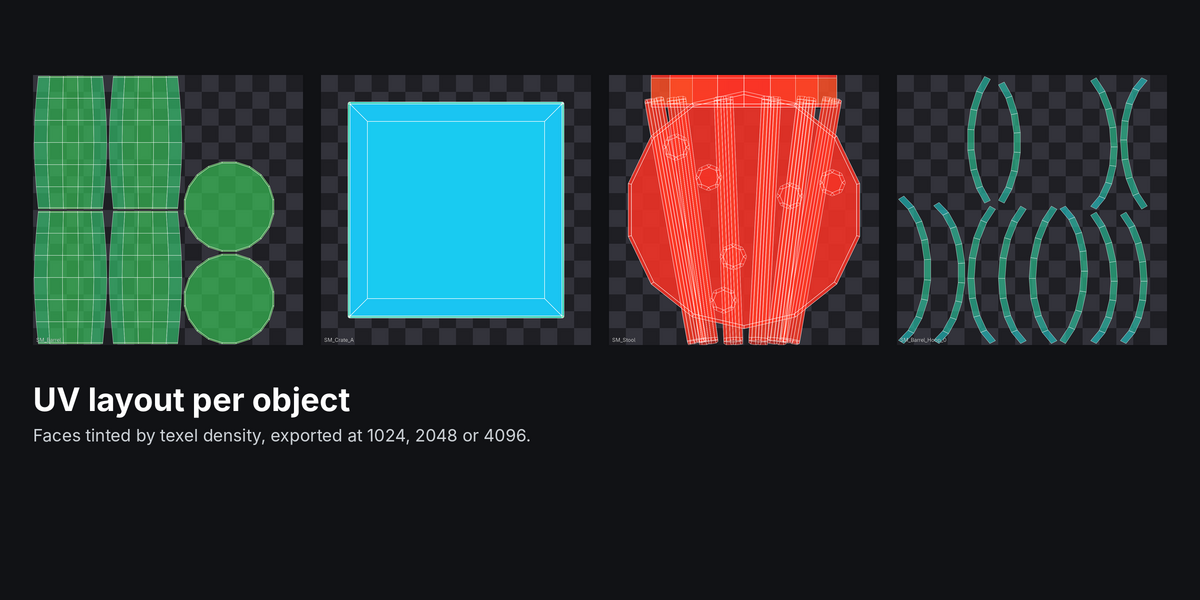
- UV layout per object, with islands tinted by texel density, at 1024, 2048 or 4096 px.
- Breakdown sheet: one 1920×1080 image with the main renders, the heatmap, a UV layout and a stats card. The card lists triangles, vertices, quad percentage, n-gons, objects, materials, average texel density, the 5–95% density range, how much of the surface is on target, and your texture sizes.
- Clay + wireframe turntable as an MP4 and PNG frames, with a set number of seconds per turn (8 by default).
Made for game artists
- Set a texel density target in px/m or px/cm. Texture sizes are read from each material's largest Image Texture, or you can enter one size for everything.
- Measure Selection shows triangle count, quad percentage and texel density in the panel without rendering anything.
- Objects without UVs are flagged by name.
- Auto 3/4 framing fits the camera to your selection. You can also use your own scene camera, or press Add Framing Camera to get a real camera you can fine-tune.
Safe for your scene
Clay and turntable renders happen in a temporary scene that's removed afterwards. The beauty render restores every render setting it changes. Wireframes and heatmaps are drawn separately, so no modifiers, vertex colours or Freestyle settings are added to your file.
FAQ
Does it change my scene?
No. Clay and turntable renders use a temporary scene that's deleted afterwards. The beauty render restores your camera, resolution, output path and every other setting it touches. Nothing is added to your objects.
How is texel density calculated?
For each face: the square root of its UV area divided by its world area, multiplied by the texture resolution. The average is weighted by surface area. The texture size comes from the largest Image Texture in each material, unless you set an override.
My model uses a Subdivision Surface modifier. Which wireframe do I get?
The final, evaluated mesh, which is what renders. For a game-res breakdown, apply or disable the subdivision first.
Can I use my own camera?
Yes. Set Camera to Scene Camera, or press Add Framing Camera to create a camera from the auto-framing settings, then adjust it.
How long does it take?
For a typical prop set with EEVEE, the stills take a few seconds. The turntable renders one clay frame per frame of video: 8 seconds at 24 fps is 192 frames, about half a minute at 1280×720.
Can I post the results commercially?
Yes. The images are yours.
Documentation
Requirements
Blender 4.2 or newer (developed and tested on 5.1). Works on Windows, macOS and Linux. The MP4 turntable needs Blender's built-in FFmpeg; the PNG frames are always written.
Installation
- Download
breakdown_kit-x.y.z.zip. Do not unzip it. - In Blender, open Edit > Preferences > Get Extensions, click the drop-down arrow at the top right and choose Install from Disk…. You can also drag the zip straight into the Blender window.
- Select the zip. BreakdownKit is enabled automatically.
- In any 3D viewport, press N and open the Game tab.
Quick start
- Select the meshes you want in the breakdown.
- In Game > BreakdownKit, set a Title and Artist name. These appear on the sheet.
- Press Render Breakdown.
- Press the folder icon to open the results.
Files are written to //breakdown// next to your .blend. If the file hasn't been saved yet, they go to a BreakdownKit folder in your home folder.
00_breakdown_sheet.png: the 1920×1080 sheet01_beauty.png: your scene's lights, world and engine02_beauty_wire.png: wireframe over the beauty03_clay.png/04_clay_wire.png: clay, with and without wireframe05_texel_density.png: texel density heatmap with legend06_uv_<object>.png: UV layout for each object07_turntable.mp4+turntable_frames/: turntable (when enabled)
Panels
- Passes: turn each output on or off. The turntable is off by default because it renders many frames.
- Camera & Size: Auto 3/4 View or Scene Camera, angle, height, lens, margin, output resolution, Add Framing Camera, and Isolate Selection (hides everything else in the beauty render, then restores it).
- Look: wireframe line width, line colours for the beauty and clay renders, and clay colour.
- Texel Density & UVs: target density, px/m or px/cm, texture size override (0 = read from materials), and UV image size.
- Turntable: seconds per turn, frame rate (the panel shows the frame count), and whether to draw the wireframe.
Tips
- For hero props, try Lens 85 and a Margin of 1.05.
- Use Isolate Selection when your props sit in a larger scene.
- Beauty uses whatever engine your scene uses. Cycles looks best but takes longer.
Purchase
In order to download this tool you must purchase it at or above the minimum price of $4.99 USD. You will get access to the following files:
Leave a comment
Log in with itch.io to leave a comment.